
How to Improve Website Speed and Why it Matters
This article explains how to improve your website speed. Website speed plays a critical role in the success of your online presence.
It’s not just about impressing visitors; search engines like Google prioritise fast-loading websites in their algorithms, making speed a direct factor in your rankings. Let’s break down why website speed matters and explore practical ways to improve it.
Why Website Speed Matters
1. Improves User Experience
A fast-loading website ensures visitors can access content quickly, which leads to a better overall experience. Studies show that people expect web pages to load in 2 seconds or less; anything slower may frustrate users, increasing the likelihood of them leaving your site.
2. Reduces Bounce Rate
If your page takes too long to load, visitors are more likely to abandon it and look elsewhere, often to your competitors. A high bounce rate signals poor user experience to search engines, which can hurt your rankings over time.
3. Boosts Conversion Rates
Every second counts when it comes to online sales or lead generation. Research has shown that faster websites drive higher conversion rates, whether you’re selling products, promoting services, or collecting contact information.
4. SEO Rankings
Search engines prioritise fast-loading websites because they focus on delivering the best user experience. A slow-performing website can limit your chances of appearing at the top of search results for relevant queries.
5. Mobile Optimization Importance
As mobile usage continues to grow, speed matters even more for mobile websites. Mobile users often expect instantaneous results, so a slow site may deter them from taking further action.
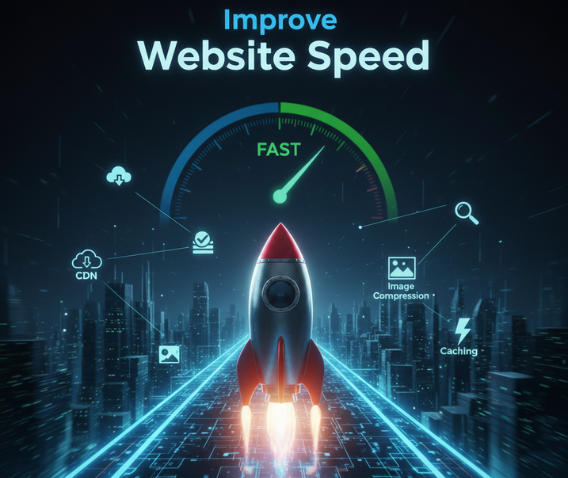
How to Improve Website Speed
1. Optimize Images
Large image files are a common culprit behind slow websites. Use tools or plugins to compress images without losing visual quality. Formats like JPEG or WebP can also help reduce file size.
2. Enable Browser Caching
Browser caching allows users to store static elements of your site, like images or stylesheets, making repeat visits faster. Most content delivery platforms and hosting providers support caching features.
3. Use a Content Delivery Network (CDN)
CDNs distribute your website’s data across multiple servers worldwide, delivering content from the nearest server to a user’s location. This reduces latency and speeds up load times significantly.
4. Minimise HTTP Requests
Each image, script, or file on your website requires an HTTP request. Reducing the number of requests (e.g., by consolidating CSS or JavaScript files) can speed up loading times.
5. Implement Lazy Loading
Lazy loading delays the loading of non-essential elements, such as images or videos, until users scroll down to them. This makes your site load faster initially.
6. Use Faster Hosting
Upgrading to a faster hosting platform or switching to a dedicated server can drastically improve speed. Look for hosting providers that specialise in performance optimization.
7. Reduce Plugins and Redirects
Too many plugins or unnecessary redirects can slow down your website. Audit and remove any unused plugins, and minimise redirects wherever possible.
8. Optimize Code and Scripts
Compress CSS, JavaScript, and HTML files to eliminate unnecessary lines of code. Tools like Google PageSpeed Insights or GTmetrix can provide recommendations for optimizing your site’s code.

Conclusion
Website speed isn’t just a technical detail; it’s integral to creating a seamless user experience, driving conversions, and ranking higher in search engine results.
By following these tips, you can enhance your site’s speed and keep visitors engaged every time they land on your page. Remember, speed isn’t just a business advantage; it’s a necessity in today’s fast-paced digital world.
If you are looking for SEO optimization, you can take a look at the SEO packages and services we offer here.